What buster7 is
What the tool does, and what it does not
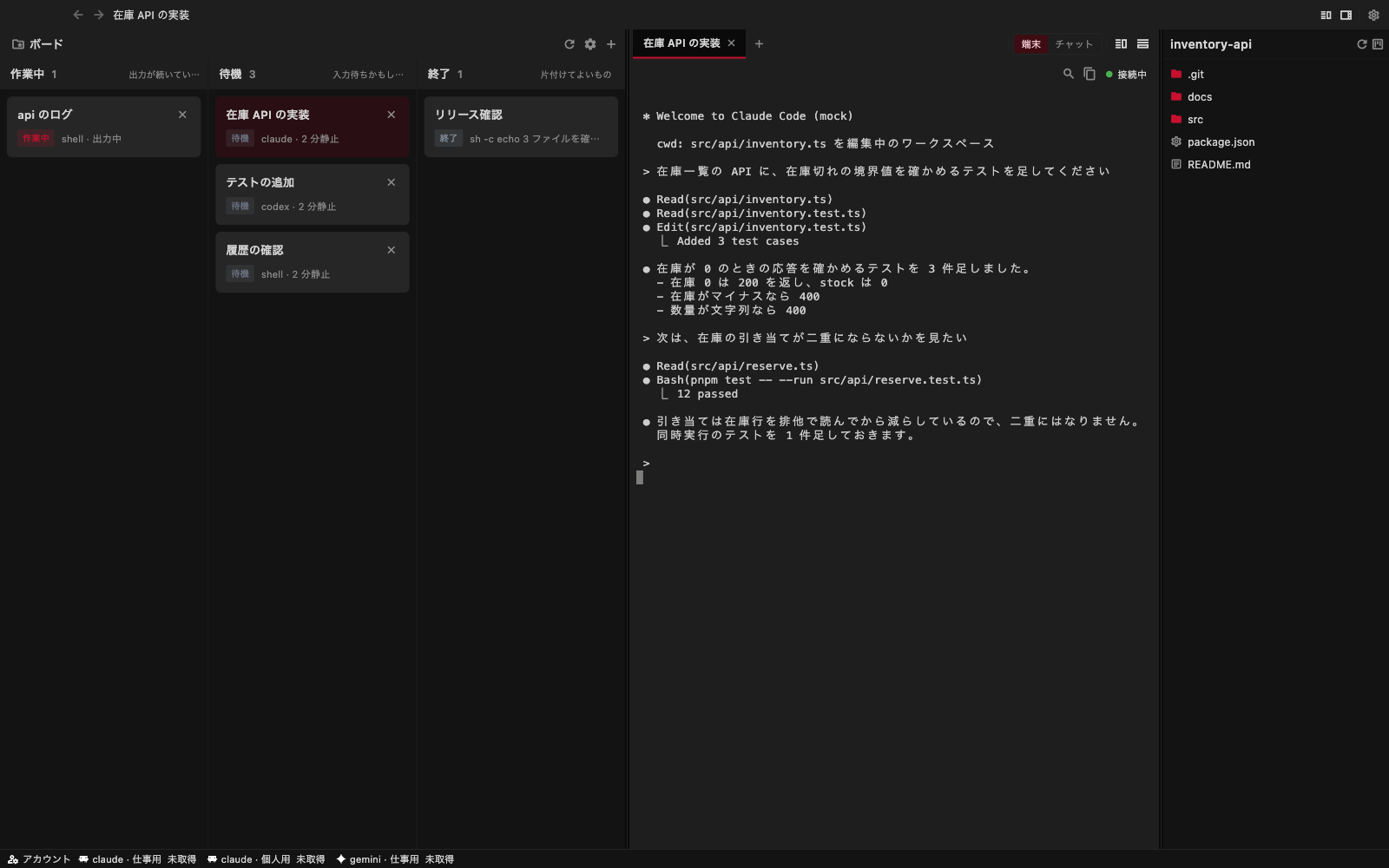
buster7 is an app for running several coding agents side by side. It runs the Claude Code and Codex you already have, and becomes the mother ship where a human lines them up, switches between them, and hands work over.
What it does
- Runs as many agents as you like per project (a registered directory)
- Shows the state of every session at a glance on the board (working / waiting / finished)
- Opens the same session through two windows: the terminal (the CLI TUI as it is) and the chat (one message at a time, structured)
- Opens a file on the spot when you click a path printed in the terminal
- Connects to the same sessions from a Mac and from an iPhone or iPad
What it does not do
- It holds no model. Inference happens in Claude Code or Codex; buster7 only runs them and shows you the result
- It never takes command of your agents. What to hand to which agent is your decision
- It does not own the conversation. The conversation lives in the agent CLI; buster7 only records it so you can open it again
Why it stays light
Line up several agents and the tools in front of you tend to grow heavy. buster7 avoids this not by adding features but by changing the structure.
- A PTY (terminal) is held as a line buffer, not as a process. More terminals do not mean more processes (8 sessions, 3 claude processes, 1 under heavy load: 2 resident processes, 147 MB of memory. Measured 2026-09-22)
- The server is written in Rust, and the app draws natively with Flutter
- Sessions live on the server. Closing the app, or losing the network, does not stop the work. Restart the server and it stands the previous sessions back up
Where it stands
A free build for macOS is available now, and you can connect and talk to your agents (the iOS app is not distributed yet). It is still in development, with unresolved problems such as terminal drawing and Japanese input. Get it running has the steps.
Problems that are not yet settled (such as unstable Japanese input) are collected in Troubleshooting.