Chat
A window that reads instructions and replies as a conversation
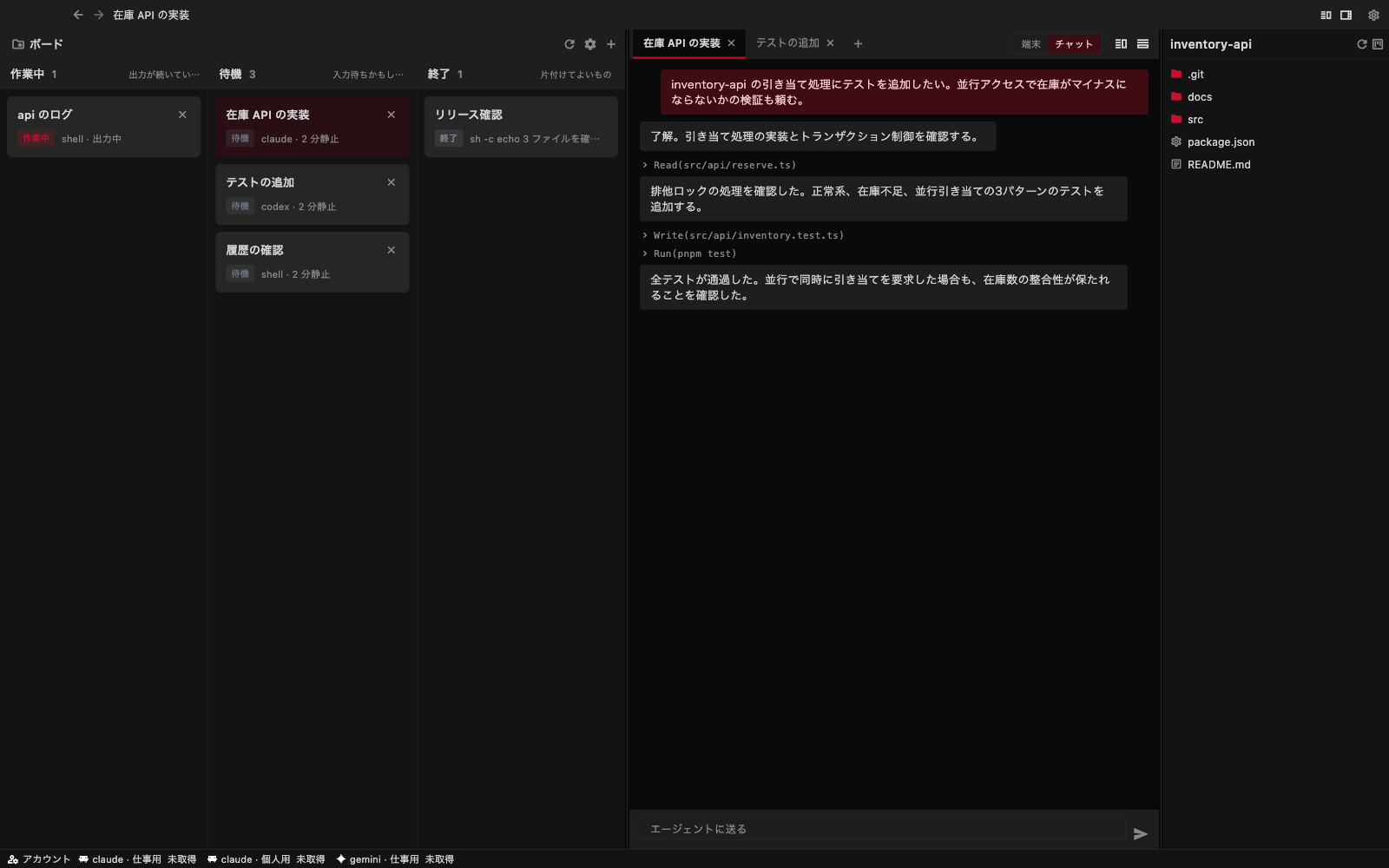
The chat is not the raw terminal output; it is a window for reading instructions and replies as a conversation. What you send is coloured, and what the agent answers sits below on a plain surface. Its thinking and the tools it ran (Read, Edit, Bash and so on) are marked as such instead of being mixed into the reply.
Sending
Write in the box at the bottom and send, and it becomes an instruction to the agent. Replies arrive one message at a time.
How it relates to the terminal
The terminal and the chat of one session point at the same conversation in the agent CLI. You can start a conversation in the terminal and pick it up in the chat, and the other way round.
With Codex, the terminal and the chat are separate conversations
Codex cannot have one conversation open in two places at once, so the Codex chat holds a conversation of its own, apart from the terminal. You cannot continue in the chat what you started in the terminal, and the chat says so on screen. Claude Code has no such limit: you can move between the terminal and the chat in one conversation.
Chat exchanges are recorded on the server. Close the app and open it again, and the same tab reads on from where you left off.