Usage
Settings
Connection, appearance, agents, notifications
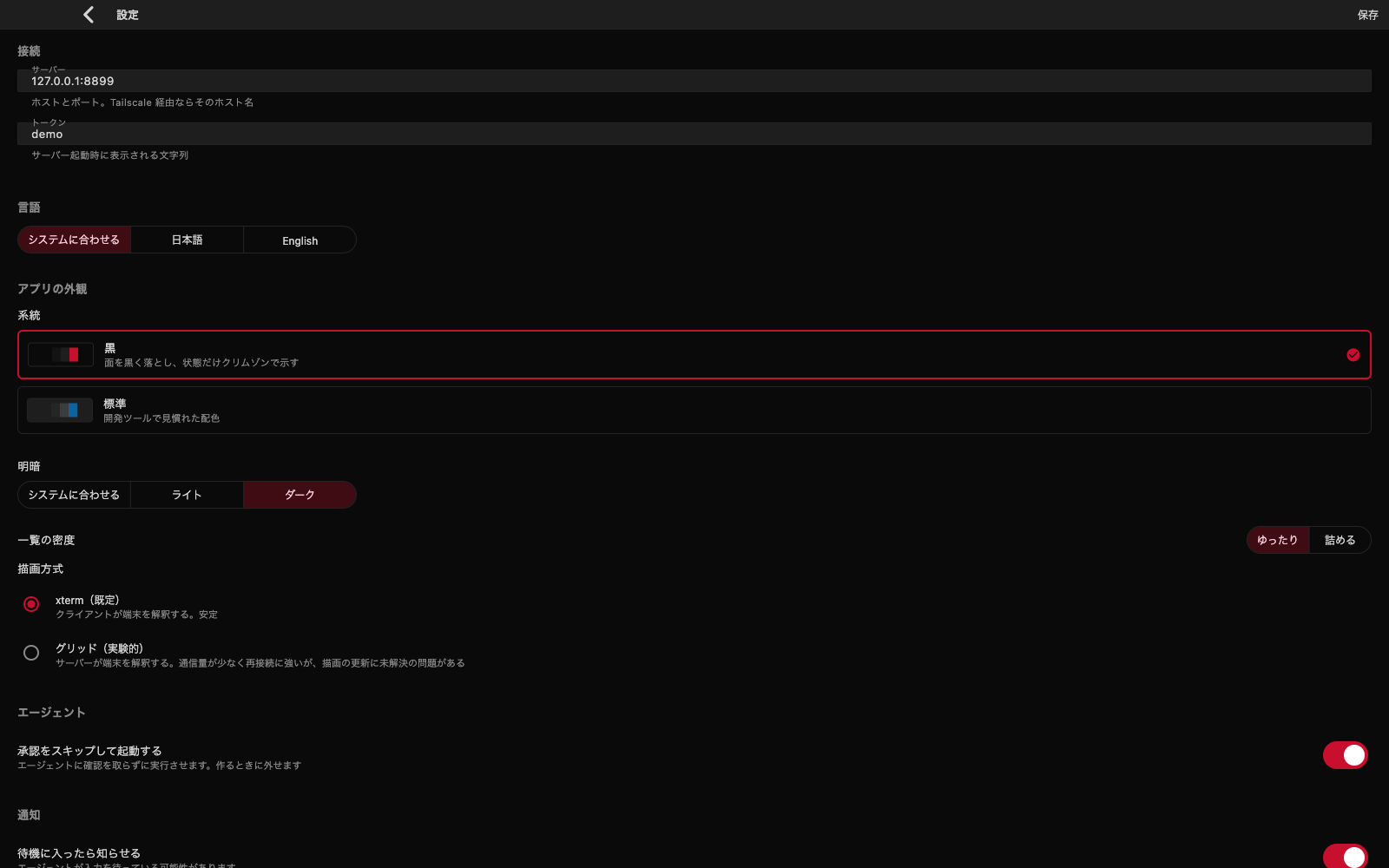
Settings apply as you change them. There is no save button. Only the connection fields wait for you to press "Save and connect".
Connection
The server (host and port) and the token. Another machine, or a host name over Tailscale, also goes here. For the first connection, see Get it running.
App appearance
| Item | Choices |
|---|---|
| Scheme | Black / Standard |
| Light or dark | Follow the system / Light / Dark |
| List density | Roomy / Compact |
Language
The language of the interface. Choose Follow the system (the default), 日本語, or English. The change takes effect as soon as you pick it.
Agents
- Skip approval when starting — new sessions start without the agent's approval prompts. Use it when you do not want to stop and confirm each step, but note that you will no longer see the operations before they run
Notifications
- Tell me when a session starts waiting — warns you when an agent may be waiting for input
- Tell me when a session finishes — warns you when a process has ended
With many sessions running, it is easy to miss one that is waiting. Notifications let you notice while you are busy elsewhere.
Terminal
| Item | What it does |
|---|---|
| Renderer | xterm (default) / Grid (experimental) |
| Font size | The size of terminal text |
| Line height | The spacing between lines |
| Font | Default (monospace) / Menlo / Monaco / Courier New / Hiragino Kaku Gothic |
| Terminal colour scheme | Default (white on black) / Dracula / Nord / Gruvbox Dark / Solarized Dark / Light (black on white) |
The details of the renderers, and how to recover when the display is scrambled, are in Terminal.